
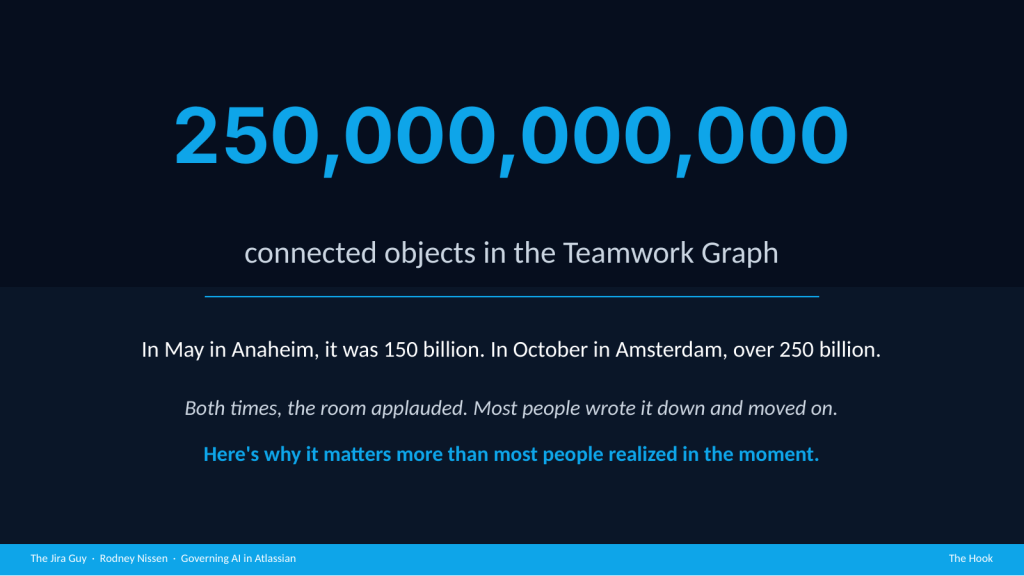
In May, at Team ’26 in Anaheim, Atlassian put a number on stage: 150 billion objects and relationships in the Teamwork Graph. The room applauded. Then in October, at Team ’26 Europe in Amsterdam, Tamar Yehoshua put up the new number: more than 250 billion. “It’s nearly doubled,” she said. That took about five months. The room applauded again.
Most people wrote the number down and moved on. The number I’d rather you sit with is a different one. The graph grew by a hundred billion objects in five months. How much did your governance grow over the same five months?
That figure is a claim about what the AI can see in your instance, and it is growing faster than any admin team can hope to review it. Rovo, and every other agent you let into that graph, inherits whatever you built (along with every admin who has managed your instance before you): every permission decision someone made years ago, every stale page, every abandoned space, every account that left the company and kept its assignments. The quality of your AI output is a direct reflection of your governance. If your governance has gaps, Rovo will find them.
Last Wednesday I gave a talk on this at Build IT Together in Dallas, titled “Governing AI in Atlassian: Is Your Environment Rovo-Ready?” This post is that talk, written out, with the checklist you can take back to your own instance.
The Teamwork Graph Is a Context Claim
In June, I described the Teamwork Graph as every Jira work item, every Confluence page, every goal, and the links between them. That description is out of date. Atlassian now describes seven context types: knowledge, work, people, communications, code, assets, and, as of Amsterdam, data. More than 80 connectors pull in Slack, Google Drive, Zoom transcripts, Gong calls, Salesforce, source code, Snowflake, and Databricks.
Agents are in the graph now too, as first-class objects, and so are their sessions. When someone works with Claude, Cursor, or Rovo, that session gets connected into the graph and distilled into what Atlassian calls reusable session memory.
MCB called the Teamwork Graph “the institutional memory of your company.” I emphatically agree with him, and I’d add that institutional memory is only as valuable as the institution that built it. Think about that for just half a second.
One more detail from the keynote matters more than it sounds. The graph “works ahead of you”: it indexes and runs inference before anyone asks a question. So the governance decision happens when content enters the graph, not when somebody queries it. By the time a user types a question into Rovo Chat, the indexing is already done.
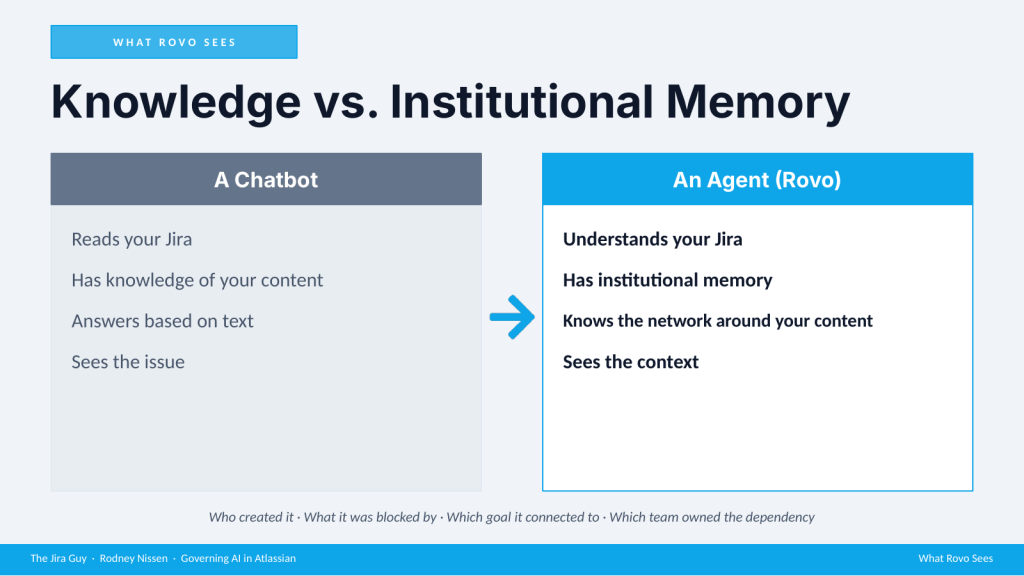
Most people think about Rovo the way they think about any AI chatbot. You ask it something, it reads your Jira, and it answers from the text it finds. Rovo works more like an agent with a map. It doesn’t only read the work item. It knows the network around it: who created it, what blocked it, which goal it connected to, which team owned the dependency.
MCB put it this way in Amsterdam: “models are the engine, context is the fuel.” If the model doesn’t know why you made a decision back in 2022, it can’t help you in 2026. That’s true. It’s also true that if the fuel is contaminated, a better engine just gets you to the wrong place faster.
Rovo Runs With Somebody’s Access
Rovo’s permission model behaves exactly as designed. It only surfaces content the user already has access to. When Rovo Work runs a long task in its cloud sandbox, it “inherits all of your permissions.” In the keynote demo, Tamar said it would run as her.
What changed in Amsterdam is that this is no longer only about Rovo. The rebuilt Atlassian MCP server lets Claude, ChatGPT, Cursor, Figma, and Codex reach into the same Teamwork Graph, and every one of them runs with somebody’s access. “Rovo-ready” now means “agent-ready.”
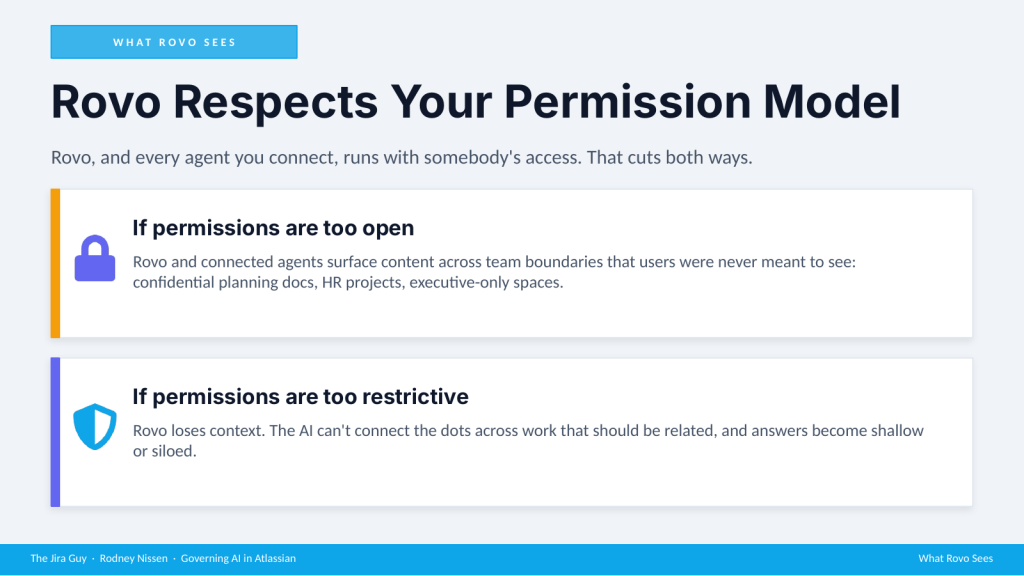
That cuts both ways. If your permissions are too open, Rovo and the agents connected to it will surface confidential planning docs, HR material, and executive-only spaces to people who were never meant to see them. If your permissions are too restrictive, Rovo loses context. It can’t connect work that should be related, and its answers come back shallow.
There is one exception worth knowing. When you build an agent in Rovo Studio, you can give it its own account instead of borrowing the user’s. Its permissions are then managed by admins at the organization, space, or app level, the same way a user’s are, and anything it changes is logged under the agent’s name. Atlassian recommends that setup for agents running in automations. Everything else still runs as whoever started it: Studio agents set to the user’s account, Rovo Work, and the outside agents coming in through the MCP server. In your logs, their actions look like that person’s actions. The wider agent-account rollout and a single inventory of every non-human identity, both announced in Amsterdam, are still listed as coming “soon.”
On Monday I posted about the accounts that leave the company and keep holding things: automation rules still sending failure alerts to a departed owner, integrations running on one person’s API token. This is the same problem from the other direction. Unless you gave it an account of its own, an agent is somebody, so the question of who that somebody is, and what they can reach, is a governance question you already own.
“What the user has access to” and “what the user was ever meant to see” have never been the same thing. Now multiply that gap by every agent your users connect. Neither failure is a Rovo bug. Both are governance failures that AI makes visible.
The AI Health Diagnostic: Four Ways This Goes Wrong
The question I’d ask about any instance right now is simple: if Rovo turned on in this environment today, what would it find?
For most environments, the answer is a lot of things nobody designed with an AI reader in mind. Permissions were set for human workflows. Confluence was structured for human navigation. Jira spaces were built by teams who never imagined an AI would read every description, every comment, and every closed work item going back years. Here are the four failure modes I see.
Failure Mode 1: Permissions Set for Humans
When your Atlassian environment was set up, whether five years ago or last year, nobody in that room asked what an AI would be allowed to surface. Permissions were set by who needed to see what to do their jobs. In practice that usually meant erring on the side of open, because restricting access creates support tickets and delays. I’ll admit, I’m still tempted to lean towards more open permissions myself.
So most organizations have Confluence spaces with org-wide read access holding content that was never meant for the whole org, Jira spaces left at open visibility because it was easier, and groups with broader access than anyone intended.
New this fall is Artifacts, an app for the HTML pages, prototypes, and calculators that people and agents create. It’s in beta on paid plans. New artifacts start private, but a user can share one as open to the organization, which makes it searchable by everyone. That is the same problem as letting anyone create a public space. I haven’t found an admin control that restricts open sharing yet; if you know of one, tell me and I’ll update this post.
Rovo doesn’t distinguish between access somebody granted on purpose and access nobody ever cleaned up. It surfaces what the user can reach. If that information is your quarterly financials, kept secret only because nobody thought to look in that space, you now have a problem in potentia, because Rovo will think to look.
Failure Mode 2: Confluence Structured for Humans
Humans navigate Confluence with context. You know the difference between an active runbook and a page nobody has touched since 2021. You know the sandbox space is for experiments. You know when a page came from a team that no longer exists.
The AI knows none of that. It reads the deprecated 2019 process page with the same weight it gives documentation published last month. It indexes meeting notes from a team that was reorganized out of existence. It can’t tell a source-of-truth space from an orphaned experiment unless you’ve built that distinction in.
Without deliberate content lifecycle management, Confluence accumulates, and Rovo indexes all of it. Every stale page you haven’t archived now becomes potential context for an answer, and every abandoned space becomes part of the institutional memory those answers are built on.
Failure Mode 3: Jira Built Without AI in Mind
This one surprises people, because Jira hygiene sounds like a nice-to-have rather than a governance requirement.
More than 250 billion objects includes every Jira work item ever created. That covers the proof-of-concept space from 2019 nobody archived, work items assigned to people who left two years ago, test work items created during a training session and left open, and three custom fields that all mean “priority” because three teams created them independently.
The AI has no concept of “this work was abandoned and should be ignored,” or “this account is deactivated, so don’t count it in anyone’s workload.” It treats your current sprint and your 2019 experiment with the same weight. Your Jira hygiene directly determines the quality of Rovo’s context.
Failure Mode 4: Context You Don’t Administer
This failure mode is new since June, and Amsterdam made it unavoidable.
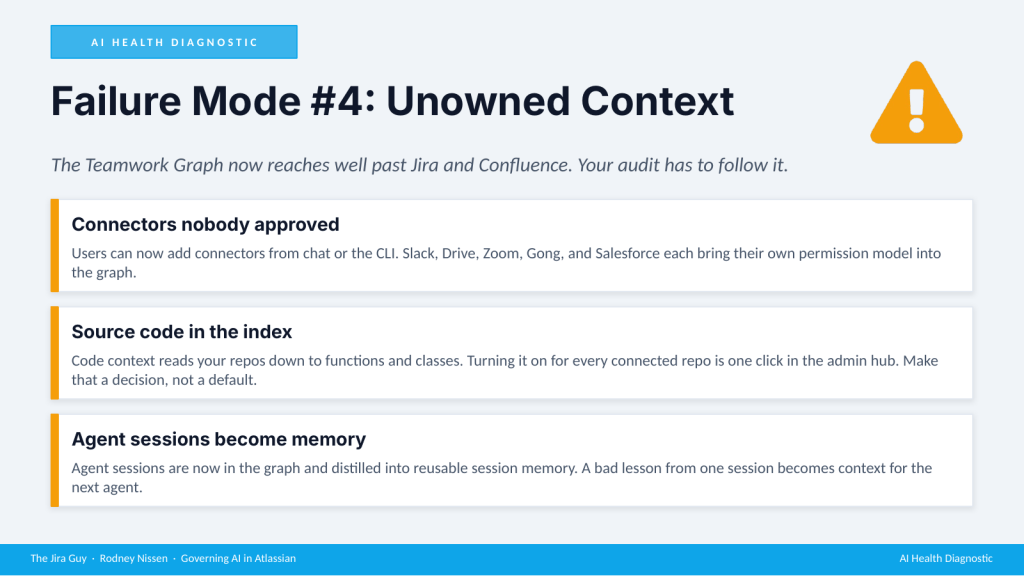
Connectors come first. There are more than 80, and Atlassian made it easier for users to add them straight from chat or the CLI. Each one brings in another system’s permission model, one your Atlassian admin team doesn’t own. Your Slack channel permissions and your Google Drive sharing settings are now part of your AI governance, whether you planned for that or not.
Then there’s source code. Code context reads your repositories down to functions, symbols, and classes. Atlassian’s own documentation says the index is stored in the United States, which matters to anyone counting on EU data residency. Sources disagree on whether it’s on by default: Atlassian’s support page says it’s off until an org admin enables it, while third-party analysis of the Amsterdam announcements says it switches on automatically for paid Bitbucket workspaces connected to Rovo. Either way, indexing your code should be a decision somebody made on purpose, so go check which state your org is in.
Last come agent sessions. Sessions from Claude, Cursor, Codex, and Rovo now live in the graph, and Atlassian distills them into reusable session memory so the next agent “builds on what was already learned.” That’s great when the lesson is right. When it’s wrong, a stale lesson compounds the same way a stale Confluence page does.
The Fundamentals Haven’t Changed
None of what follows is Rovo-specific. These are governance fundamentals your environment should have regardless of AI. Rovo makes the consequences of skipping them concrete and immediate, which makes it a forcing function for work that was already overdue.
Permissions
The permissions audit isn’t technically complicated. It’s operationally uncomfortable, because it means reopening access decisions made years ago by people who may no longer be at the company.
Before AI, someone might technically have access to a sensitive space and never stumble across it, because they never navigated there. With Rovo, they ask a question and the AI does the stumbling for them. The distance between a person and the information they could technically reach has collapsed.
Audit who can read every Confluence space, and look hard at anything with org-wide or anonymous read access. Run a Jira space visibility report and treat every public or org-wide space as a conversation you need to have. Review global browse permissions, since Rovo inherits whatever they allow. Then map your user groups to the teams that exist today, because groups created years ago for convenience often outlive the reason they were created.
Space Hygiene
This is where most organizations are furthest behind. Every instance I’ve audited has ghost users, and every one has abandoned spaces with no active owner. The question is how many and what’s in them.
Ghost users are deactivated accounts still assigned to open work items. Run the report: any work item assigned to an inactive account is a data quality problem that feeds Rovo’s context.
Abandoned spaces are the ones with no activity in a year and no active owner. Set a threshold (I use 12 months) and archive them systematically. Archive, don’t delete. Archiving takes the space out of Rovo’s index without destroying the record.
Duplicate fields and orphaned work items are slower burns, but they’re worth the time. Multiple custom fields tracking the same concept teach the AI to treat the same data as different things across your organization.
Confluence Structure
The quickest win here is sorting your Confluence spaces by last-modified date and reading the bottom of the list. Any space untouched for 18 months with no active owner is a candidate for archiving, and in most instances that list is longer than people expect.
The same archiving rule applies: archive first, set a retention period, and consider deletion later. Deletion is permanent.
A content lifecycle policy is what keeps this from becoming a recurring cleanup. It can be as simple as requiring an owner and a review date for every new space. A light policy enforced consistently does more than an elaborate one nobody follows.
Data Classification
Data classification means drawing the line before Rovo draws it for you. Five categories deserve the hardest look: HR and personnel matters, compensation and financial data, executive-only strategy, security incident details, and legal matters under privilege. For each, find out where the content lives, which permissions govern it, and whether the people with read access are supposed to have it.
In June I told rooms there was no AI-level control that overrides the permissions layer. That’s softening. Atlassian Guard Premium now offers sensitive-data discovery and classification, full-site historical scanning, real-time scanning of content and attachments, and what Atlassian calls guardrails across Rovo Chat and connected tools.
My take: Guard is a backstop, not a classification strategy. If HR compensation data sits in a space with org-wide read access, fix the permission. Don’t count on a guardrail to catch it. The time to fix those permissions is before you turn AI on for your organization, not after your CHRO calls.
The Compliance Gap Is Narrowing, Unevenly
If you work in healthcare, financial services, or anywhere government-adjacent, this section decides whether you can deploy Rovo at all, not when. Five areas are worth tracking, and three of them moved since June.
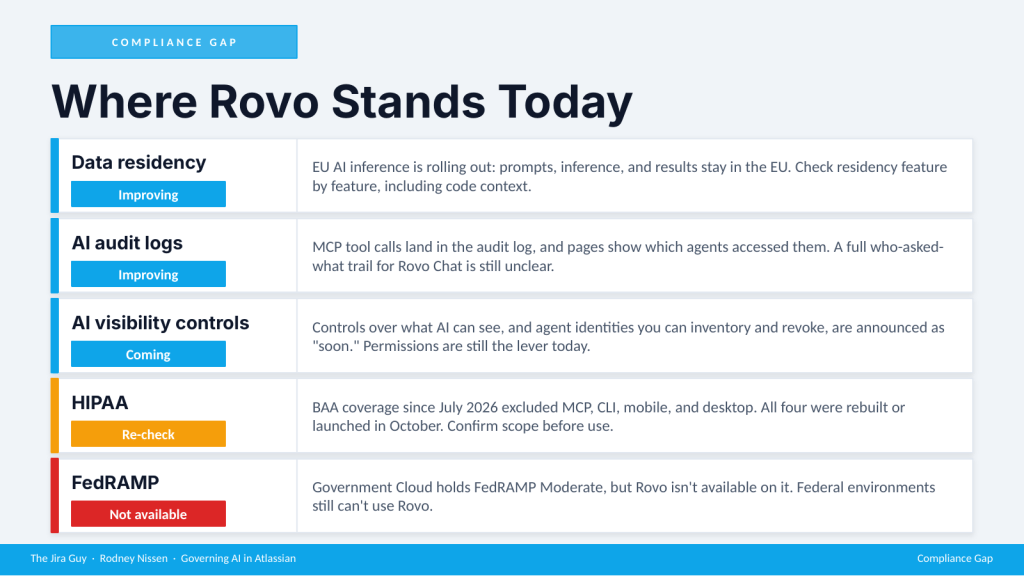
Data residency is improving. In Amsterdam, Atlassian began rolling out EU AI inference, which keeps prompts, model inference, and results inside the EU. Before this, data could be resident in the EU while the LLM calls crossed the Atlantic. Rovo Work sandboxes honor data residency as well. The caution is code context, whose index Atlassian documents as stored in the US. Check residency feature by feature, and since I haven’t found a documentation page for EU inference yet, confirm with your account team before you assume it applies to you.
AI audit logs are improving. Every Atlassian MCP server tool call now lands in the audit log, and a Confluence page can show which agents accessed it and who called them. That’s real progress. What I haven’t seen is a complete trail of who asked Rovo Chat what, and what it surfaced in reply. If your compliance requirements need that, verify it before you deploy.
AI visibility controls are coming. Atlassian says “soon” for controls over what AI can see, and for the wider agent-account rollout and non-human identity inventory covered earlier. Until those ship, your permission model is the lever.
HIPAA needs a re-check. Since July 8, 2026, Rovo has been covered under Atlassian’s BAA on HIPAA-eligible sites, provisioned through a support request. That scope excluded the MCP server, the CLI, the browser extension, and the mobile and desktop apps. In October, Atlassian rebuilt the MCP server, launched new Rovo desktop and mobile apps, and added Rovo Work. I haven’t seen updated BAA scope for any of them.
FedRAMP is still a no, but now there’s a date. Government Cloud holds FedRAMP Moderate, and Rovo isn’t available on it yet. Atlassian’s Government Cloud documentation lists Rovo as code complete in June 2027, with customer availability waiting on a FedRAMP Significant Change Review, so availability lands sometime after that, and the date can still move.
This section is a snapshot, and the platform is moving. Two items I had on a roadmap slide in June, wider data residency coverage and better visibility into AI activity, have partly shipped. Customer-managed keys for Enterprise I’d still call roadmap. Verify at trust.atlassian.com, not on a conference slide or a blog post, including mine.
The Pre-Rovo Audit Checklist
None of this requires buying anything new. It takes some administrative time and a good deal of organizational will. The time is the easy part. The will is the hard part, since it means getting teams to agree that their abandoned space from three years ago should be archived.
Part 1: Permissions and Jira Hygiene
- Run a full Jira space visibility report and flag every public or org-wide space.
- Find spaces with no owner, or no activity in more than 12 months, and archive them or assign an owner.
- Resolve or reassign every work item assigned to a deactivated user.
- Audit custom fields and deduplicate where several fields track the same concept.
- Review global browse permissions and remove any group with broader access than intended.
- Make sure every active space has a named owner accountable for its data quality.
Part 2: Confluence and Data Classification
- List all Confluence spaces, sort by last modified, and flag anything untouched for 18 months.
- Archive spaces with no active owner. Don’t delete them.
- Find spaces with org-wide read access that hold anything sensitive, and restrict them.
- Document your source-of-truth spaces: which spaces are authoritative for which topics.
- Set a content lifecycle policy: new spaces need an owner and a review date.
- Identify content that should never appear in AI output, and restrict it through permissions before Rovo is enabled.
Part 3: Agents, Connectors, and Code
- Inventory your connectors: who can add them, and what each one brings into the graph.
- Decide on code context deliberately: which repos are indexed, and where that index lives.
- Review MCP access. The rebuilt server is governed through per-toolset admin permissions and Atlassian Guard. If you only allow the old MCP server today, look at the new access model before your developers ask.
- Decide who should be able to make an Artifact open to the whole org.
- Review network access for Rovo Work sandboxes before long-running tasks go wide. Those tasks can run for hours, so know what they can reach.
- Inventory your agents: which ones your teams already connect, whose identity each one runs as today, and which Studio agents already have their own account. When the wider agent-account rollout ships, you’ll want that list ready.
Part 3 is new since June. It’s the same discipline as Parts 1 and 2, applied to a bigger graph.
Wrapping Up
Rovo and every agent that reaches into your Teamwork Graph inherits the institution you built, including the parts nobody has looked at in years. MCB described the Atlassian platform in Amsterdam as your organization’s central nervous system, and a nervous system is only as good as the signals running through it. Everything in this post is fixable without new tools. It’s the governance work that was always supposed to happen, now with a concrete deadline.
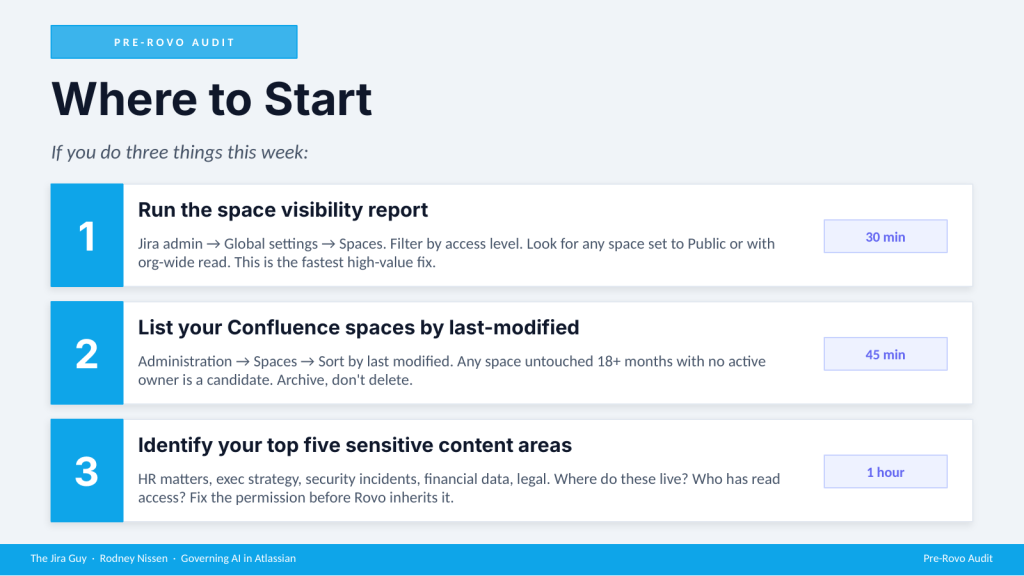
If the checklist feels like a quarter’s worth of work, start with three things this week. Open Jira admin, go to Global settings, then Spaces, filter by access level, and look for anything set to Public or org-wide (30 minutes; every instance I’ve audited has had at least one space set that way for convenience and never revisited). Then open Confluence administration, sort your spaces by last modified, and read the bottom of the list (45 minutes). Finally, name your top five sensitive content areas, find where each one lives, and check who can read it (an hour). That’s under two hours, and it shows you your highest-risk exposure before AI is live at scale.
So the question I left the room with in Dallas is the one I’ll leave you with: how ready is your Atlassian instance for the context engine to kick in? I’m curious what turns up at the bottom of your space list.
Until then, this is Rodney, asking: have you updated your Jira issues work items today?
Enjoyed this one? These posts are free and always will be — but if this saved you a headache or taught you something worth keeping, you can drop a tip in the Ko-fi jar. No paywall, no subscription, no catch. Just a thanks if the writing earned it.
→ Support The Jira Guy on Ko-fi
Discover more from The Jira Guy
Subscribe to get the latest posts sent to your email.


