
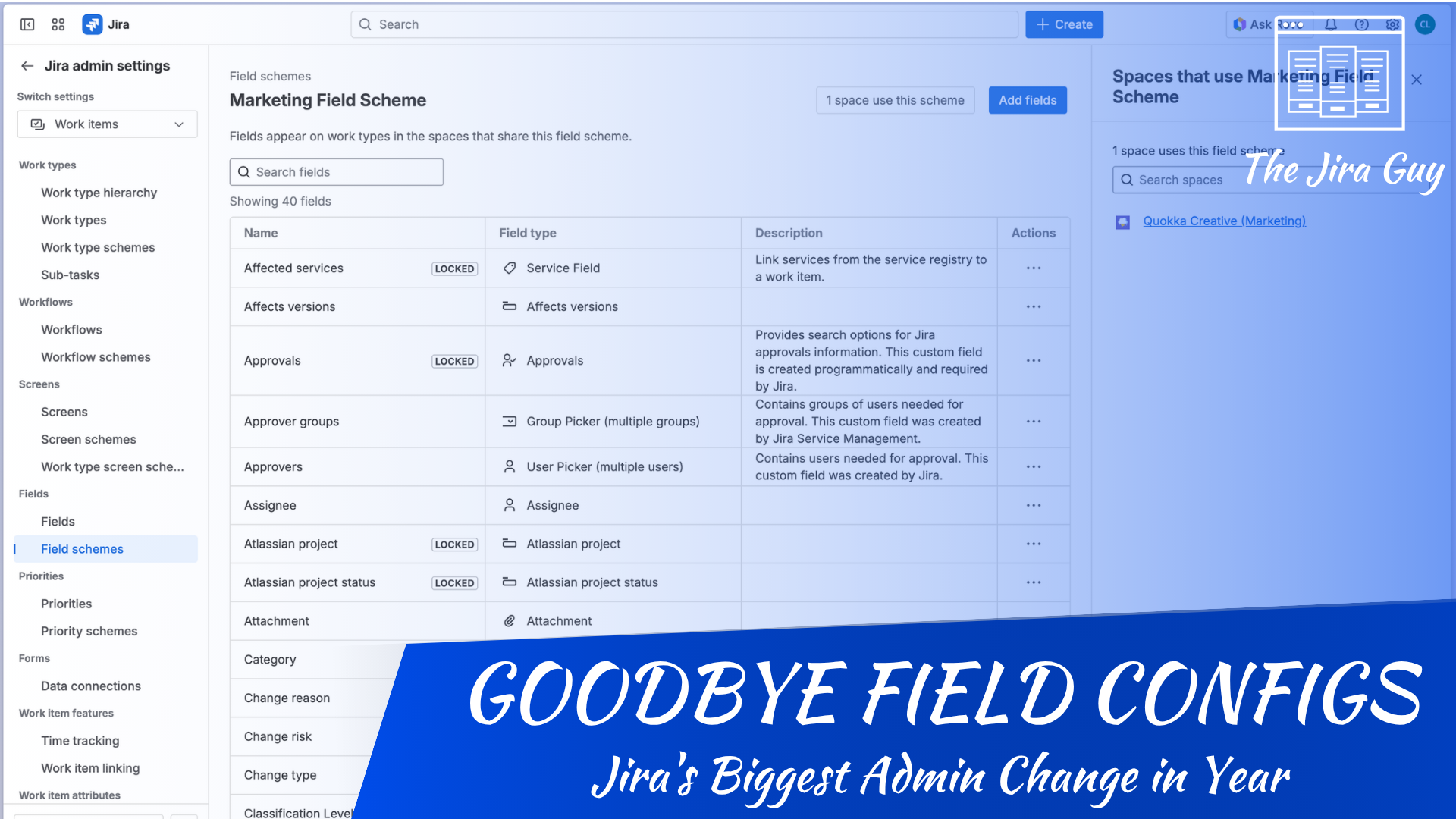
Atlassian is retiring the field configuration system, and if you’ve been a Jira admin for any serious length of time, that sentence just triggered something. Field Schemes replace the entire mechanism — and the progressive rollout starts in June 2026, so this isn’t a someday problem anymore.
And you have internalized that mechanism. Not because it’s elegant — it isn’t — but because you’ve done it enough times that it runs on reflex. To get a field in front of users, you create the field, then add it to a Field Configuration that controls how each field behaves: required or optional, shown or hidden, its description. You map that configuration to one or more work types (formerly issue types) through a Field Configuration Scheme. Then you associate that scheme with one or more spaces (formerly projects). Three layers, automatic after enough reps. Field configuration. Field configuration scheme. Space association. You stop noticing the abstraction stack and just work in it.
That’s the muscle memory Field Schemes are about to overwrite. Understanding what’s actually changing — and what it costs the reflexes you’ve built over years — is worth doing before the rollout reaches your instance.
What the Old System Actually Does
Before explaining what’s being replaced, it’s worth being honest about what the existing system does well, because it isn’t nothing. It also isn’t obvious — it took me about 18 months to start understanding it properly, and closer to three years to understand the why behind the design. That’s not a criticism of the system; it’s a warning about what “simpler” actually means when you’re replacing something with that much depth.
Field configurations control which fields appear on which work types, and whether those fields are required, hidden, or rendered with a custom description. A single field configuration can govern dozens of work types across dozens of spaces. That’s the value of the abstraction: you define behavior once and apply it broadly. Change the field configuration and the change propagates everywhere it’s referenced.
Field configuration schemes sit above that. They’re the mapping layer — they associate work types with specific field configurations. One scheme can hold multiple mappings, meaning you can have different field behavior for different work types within the same space. Default field configuration handles anything without an explicit mapping.
Spaces sit at the top. When you apply a field configuration scheme to a space, you’re telling Jira which work-type-to-field-configuration mappings to use for that space.
Three layers. Three places to look when something isn’t behaving the way you expect. Three places to accidentally break something you didn’t intend to touch when you make a change.
Why the Three-Layer Model Accumulates Technical Debt
The architectural problem isn’t visible when you’re working in a small, clean instance. It shows up at scale.
Because field configurations can be shared across many spaces, changes can have a wide blast radius. Admins in mature instances often find themselves afraid to modify a field configuration because they don’t have clear visibility into everything referencing it. The practical response to that fear is to clone instead of modify — create a new field configuration that’s almost identical to the existing one, apply that to the new scheme, move on. Over time, the configuration list fills up with near-duplicates with names like “Default Field Configuration (Copy 3)” and nobody remembers what differentiates them.
Field configuration schemes have the same problem. Shared widely, modified cautiously, cloned frequently. In a large instance, you can end up with dozens of schemes that are functionally identical. The three-layer model optimizes for flexibility and reuse, but in practice it generates accumulation.
And accumulation is the benign failure mode. The dangerous one is that the same wide sharing makes a change echo in ways the person making it can’t see. A field configuration governing forty spaces doesn’t tell you that when you open it. So a newer admin — or someone who was handed admin rights and never should have had them — makes what looks like a contained change: marks a field required, hides one that looks unused, tidies up a description. They’re solving for the one space in front of them. The change lands on every space that configuration touches. I’ve watched exactly this knock out work item creation for entire teams at 7:30 in the morning, because a field got marked required on spaces where it wasn’t even on the create screen — and if you can’t fill a required field, you can’t create the work item. Nobody involved thought they were making a big change. That’s the point. The three-layer model hides the size of your blast radius right up until you’re standing in it.
The second problem is diagnostic complexity. When a field isn’t showing up where it should, you’re hunting across three layers to find the cause. Is it the field configuration? The scheme mapping? The space association? The work type? Once you’ve ruled out the easy answers — it’s just missing from the screen, say — you’re rebuilding the entire mental model before you can fix anything. And if you didn’t set up this configuration yourself, you know you’re going to be there a hot minute.
What Field Schemes Change
Field schemes are a direct association model. Instead of threading fields through a configuration layer and a scheme layer before they reach a space, field schemes associate field behavior directly with the space.
The practical result is fewer layers to navigate. A field scheme can still be shared across spaces — Atlassian hasn’t done away with reuse — but the model is flatter and the scope is easier to see: this scheme belongs to these spaces, governs these work types, controls these fields.
This aligns with the broader direction Atlassian has been moving. Spaces as the primary organizational unit. Configurations that live closer to the thing they govern. The same philosophy behind the project-to-space rename and the ongoing simplification of permission schemes is now reaching field administration.
One thing worth being precise about, since the early reaction assumed otherwise: field contexts aren’t going away. They still define a field’s default value and its available options per space and work type. What changes is that contexts no longer control whether a field is visible — that job moves to field schemes, with screens remaining the final gatekeeper for what users actually see.
What This Means in Practice
Let me be clear about where I land: this is a good change. Anything that makes an admin’s job easier, cuts down the number of schemes you’re juggling, or just makes the system clearer to reason about is a win — and field schemes do all three. Fewer layers, cleaner scope, lower blast radius on changes. If you were designing Jira’s field administration from scratch today, you would not build the three-layer system. I’m glad it’s going.
What I’m not going to do is pretend the transition is free. The cost is real, and it’s almost entirely cognitive.
The three-layer system, for all its complexity, is something thousands of admins have internalized completely. You know where to look. You know what to check when something breaks. You have mental shortcuts for navigating it that you don’t even consciously use anymore. Field schemes collapse the abstraction stack — that’s exactly the point, and it’s the right call — but it also means some of what you know stops being the map.
This isn’t a reason to drag your feet. It’s a reason to go in with realistic expectations. The new model will probably feel awkward for the first few weeks, the same way any structural change to a tool you’ve automated does. That awkwardness isn’t a signal that something’s wrong. It’s the cost of rebuilding muscle memory on a genuinely better foundation — and this is a better foundation.
The Migration Won’t Announce Itself
I want to flag something, because the word “automatic” is carrying more weight in that last section than it deserves. Atlassian running the migration for you is genuinely good news — nobody wants to rebuild field administration by hand across a mature instance. But the people who’ve already been through it, the early cohorts in the staggered rollout, aren’t uniformly reporting a clean experience. Some of them are reporting migrations that went sideways badly enough to get logged as incidents.
I’m not going to overstate this. I don’t have a full accounting of what broke or how widespread it is, and early-rollout problems are exactly the kind of thing that gets caught and smoothed out before a change reaches everyone. But “automatic” and “safe” are not the same word, and if you’re an Atlassian Admin you already know that. An automated migration touching the layer that decides whether a field is required or hidden has the same overspill problem as the 7:30 AM incident I described earlier — except this time you’re not the one making the change, which means you’re not the one watching for it either.
And here’s the uncomfortable part: you won’t get a calendar invite for it. No maintenance window you booked, no banner the morning of — it just happens when your instance comes up on Atlassian’s staggered clock. So the ownership you actually have isn’t standing watch on migration day. It’s two things you do beforehand. First, the prep below — do it now, while you still have a window, because once June is rolling, any quiet Tuesday could be your turn. Second, if you can get into the Open Beta and run it against a sandbox (if you have access to them), take it; that’s the one version of this where you pick the timing and watch the failure modes on a copy instead of in production. And know the symptoms cold, so when morning create quietly stops working on a space nobody touched, “the migration ran” is the first thing you reach for instead of the last.
What to Do Before the Rollout Reaches You
Atlassian will handle the migration of existing configurations to field schemes automatically — you won’t need to rebuild your instance manually. But there are things worth doing before the transition lands.
First, audit your current field configurations and schemes for duplication. If your instance has accumulated near-identical configurations, now is the time to consolidate. Migrating clean is significantly easier than migrating noise.
Second, document your current setup. Even a simple spreadsheet mapping spaces to their field configuration schemes, with notes on which field configurations are actually distinct, gives you a reference point after the transition. If something doesn’t behave as expected post-migration, you’ll want to know what it should have mapped to.
Third, if you want to see it before it lands on you, get into the Open Beta. The best way to test is to opt a Cloud sandbox in and run the migration against a copy of your real configuration — though sandboxes are a Premium and Enterprise feature, so that route isn’t open to everyone. If you’re on Standard or Free, watch Atlassian’s documentation and the walkthroughs they’ve promised ahead of the rollout instead. Either way, the progressive rollout begins June 2026 and reaches instances on a staggered schedule, so you likely have a window before it’s your turn.
The Broader Pattern Here
Every time Atlassian simplifies something, there’s a version of this conversation. The change is directionally correct. The existing mechanism has real complexity costs. The new model is cleaner in principle.
And every time, the people who feel it most acutely are the admins who are best at what they’re replacing. The harder you’ve worked to understand the three-layer system, the more discontinuous the shift feels. That’s not a flaw in the design. It’s just how structural change works.
Field schemes are probably a net positive for the platform. The path from here to there runs through some disorientation, and that’s worth being honest about.
Wrapping It Up
Field schemes aren’t just a UI tweak — they’re Atlassian acknowledging that the three-layer model, useful as it was, Field schemes are the right call. The three-layer model did real work for a long time, but it asked every admin to hold an abstraction stack in their head just to get a field in front of a team — and at scale, that stack turned into duplicate configs, wide blast radius, and 7:30 incidents nobody saw coming. Collapsing it down is a straight win: fewer layers, tighter scope, changes that don’t echo where you never intended them to.
The first few weeks will feel off. That’s not the change failing — that’s muscle memory catching up. Go in with your configs audited and your current setup documented, and you’ll spend that time learning the new model instead of firefighting the old one. When Atlassian’s migration documentation lands ahead of the June rollout, I’ll dig into exactly how existing configurations carry over.
Before I let you go, here’s what’s on the calendar this week:
- Monday at 5 PM — we’re kicking off a brand new study session series for the ACP-220 Confluence Cloud Certification. Whether you’re chasing the cert or just sharpening your Confluence, come ready to learn.
- Thursday at 5 PM — The Jira Life welcomes Atlassian’s Chief Sustainability Officer to the show. Not a topic we hit often, but one worth having — and I’m genuinely looking forward to it. Come hang out.
Until then, this is Rodney, asking: have you updated your Jira issues work items today?
Discover more from The Jira Guy
Subscribe to get the latest posts sent to your email.


2 Comments