
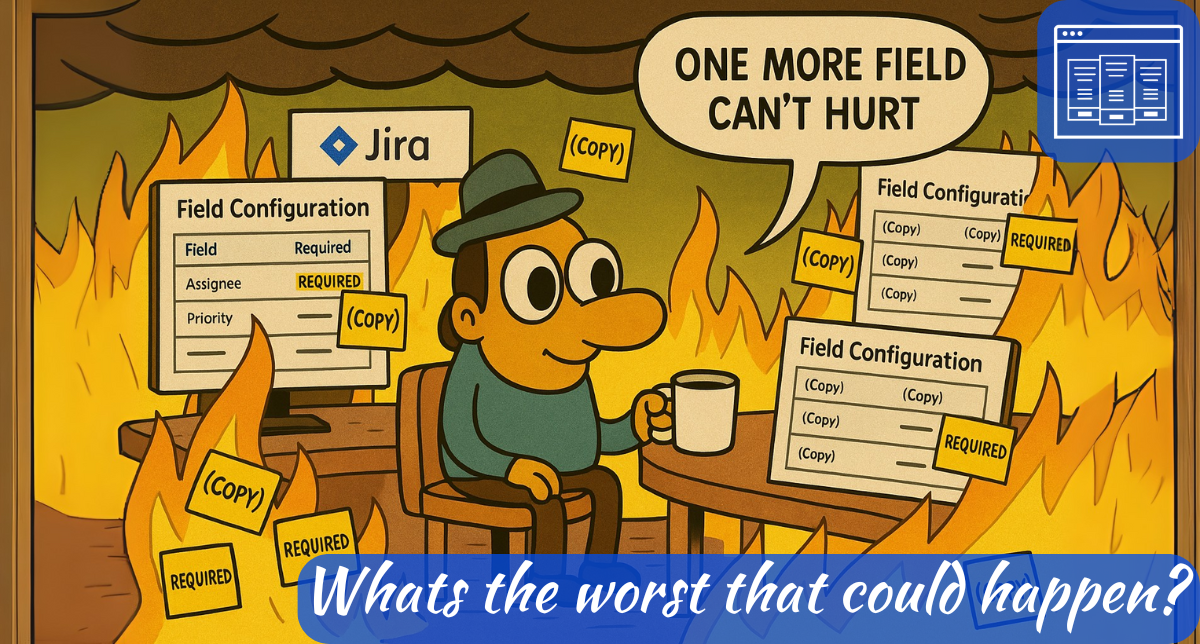
Yesterday, Alex Ortiz and I were discussing custom fields ahead of a live stream he was planning to do on the topic. Of course, I can’t stop by one of his streams without doing some light trolling. If I were to do another stream myself, I’d expect no less from him. As we talk, I keep mentioning all the bad advice I’m going to give in chat, to which he replies, “This would make a good TJL Episode.” Then it hits me. Yes, it would, but it would make a better blog post. And boom – inspiration like I haven’t felt in years struck. So let’s ride this wave. We should all be familiar with the best practices by now. But let’s take a look at these nine worst “Best Practice” statements and discuss why each one is a bad idea in practice.
It is always acceptable to recreate a custom field with the same name as an existing one. The more the merrier, after all!
So, the sad thing is I still have to explain this one. A lot. To be clear, Jira will let you, under the right circumstances, use a field name even if the same name already exists in the system. And Jira will run just fine like this. All its calls to each custom field use a unique ID number, so Jira doesn’t really care what each field is called.
The problem comes in — as is so often the case — when people get involved. It will start when you go to add the field to a screen. You type in its name, and you suddenly have two options to choose from. Jira will try to be helpful and label each one with a CF[12345] where 12345 is each field’s unique ID number, but if you weren’t paying attention to that when you created the field, it might as well be Ancient hieroglyphics. The only indication you might have is if each field has a different field type.
But that’s just the start of the problem. Because guess what happens when you go to use it in JQL? Yep, you are given the two choices again, each with its ID number referenced. This time, you won’t have the helpful field type, so it’s usually a 50/50 chance of selecting the right field. And then, once you select the field, it doesn’t put the field name in your JQL, but rather the CF[12345] Identifier. And that’s fine for today, but if you ever have to work on that JQL string in 6 months’ time, or if someone else ever has to work on it, they’ll have zero reference to what that field is.
Custom Fields with hyper-specific, non-recyclable names are always the peak of best practice and should be sought out at every opportunity.
I mean, as Jira Admins, we want to clearly indicate the purpose of a field, and the more words we use, the more clearly we can convey that, right? And you’d be right, that is one of the things we want to do. But more over, we want to grow our Jira instances in a responsible manner. That means reusing existing fields whenever possible. And the more specific the name of a field, the harder that is to do.
So now we have two contradictory requirements, which seem impossible, right? No, actually, we can solve this rather easily. You see, we can use a project-level field configuration to add custom descriptions to custom fields, explaining how they are to be used or what they are intended for. Now I’m not going to lie to you, it is a pain to set up, especially if you already have an unhealthy number of fields. But it is worthwhile if you need to explain how different projects use the same fields.
The ideal number of custom fields on a screen is “Are you kidding? There is never enough!”
In this world, more data is more better, right? Yes, it is – so long as you have GOOD data. This is a case where, on the surface, this sounds like a great idea, until you put yourself in others’ shoes. Imagine you’re a worker, and you need to set up a story for some work you need to do. You click create, and you are faced with an absolute wall of fields you need to fill out before you can even submit the work item. What will you do?
I predict you will do one of three things. In order of best outcome to worse:
- Fill each field with garbage to the point that any data you get out is useless at best
- Not create the ticket and just do the work anyways
- Open up Excel, but your tasks in there, and never bother with Jira again.
Each of these is not a great outcome. So, how many fields is “just right?” I don’t know. When I think about that question, I remember this quote:
“Perfection is achieved, not when there is nothing more to add, but when there is nothing left to take away.” – Antoine de Saint-Exupéry, Airman’s Odyssey
That is to say, add as many as you need to, but challenge each one and try not to add any more than you absolutely have to.
You should only ever require fields. Why even have them if they are going to be optional?
I mean, don’t they have a point? What’s even the point of having a field if people can just choose not to enter data? That’s the point of having a field: to capture specific information for reporting.
And yes, you’re right, but again, you should always be putting yourself in your user’s shoes. Imagine you’re in a hurry, and you just need to create a work item real quick, so you enter what you think is the “bare minimum,” hit submit, only to have warnings that you are missing fields. May your deity of choice help you if they are all mixed in with the non-required fields. No one – and yes, I mean no one – likes this.
At risk of sounding like a broken record, though, the advice I give here is the same as above – challenge everything. Have a solid requirement for each required field, and always try to find any excuse to make them not required.
Global contexts are efficient! Why bother scoping fields to specific projects or issue types?
When the change was made by Atlassian to start really discouraging Global contexts, I didn’t like it. I felt it was just another thing for the already very busy Jira Admins to do. But the more time has gone on and the more I’ve thought about it, the more I’ve seen the wisdom in it. This limits how much space in the index each field can take up, meaning faster queries and page views. It is a hassle sometimes, to be sure – especially if you need to go in and change a context to include another project, but it can be well worth it in the long run.
Field names should be full sentences, ideally with punctuation, a riddle, or at least a semicolon.
“Didn’t we already do this one?” I bet you’re asking. That’s right, I can still hear you through the screens. And to answer your question: Yes, but actually no. Statement two above refers to recyclability. This one is about just not overloading people. You can have a full sentence that is recyclable, but still a terrible name. Listen, people are busy. They don’t have time to read War and Peace just to figure out what a field is meant for. You should always keep your field names short, and if you need to add more context, include a default description as a part of the field. If a project’s Field Configuration doesn’t override the setting, it will display the default.
Everything should be a free text field. You shouldn’t have to ever bother the Jira Admin JUST to add another option after all.
So, when advising your project admins on custom fields, one of the most critical things you should consider is what type of field it should be. The typing will have a great impact on what kind of data is captured and what fields are able to be used in dashboards and reports. Just putting it out there, but freeform fields are great for capturing human-readable information, but many dashboard gadgets just won’t work here.
If you need to emphasize a consistent set of data, use a select, radio button, checkbox, or other field that limits the choices users can make whenever possible. This will make the data you capture much cleaner, helping when you need to generate reports. If your Project Admins are insistent, THEY want to add options without you, steer them towards Components, Fix Versions, or other project-level fields. Or if you absolutely must, a Team Managed project. But just be sure they are well trained, because with Team Managed Projects comes great responsibility.
Let power users create fields themselves. What’s the worst that could happen?
When I started at a job a few years ago, the other admins and I were talking, and they used a reference to “Too Many Cooks.” Thinking I wouldn’t know what they were talking about, they went on to explain it to me. It’s one of the few times I got to use one of my favorite quotes: “Do not quote the old magic to me, I was there when it was written.”
Diatribes aside, the adage “Too many cooks spoil the broth” very much holds true for Jira Administration. When you have a large number of people able to make changes in your instance, governance becomes impossible. Not “practically impossible” or “almost impossible.” It’s just straight up not going to happen. And nowhere is this scene more than in the custom field list. With rare exceptions, any instance where I see more than 150 fields will have at least ten people able to create custom fields. And most of those exceptions are simply instances where they’ve already stripped admin rights from many people.
For Jira Governance to work, there must be a checkpoint for changes to ensure they are vetted. That checkpoint should be your Jira Administration team. You shouldn’t ever have just one Jira Admin (though many places do), but you should also limit it to only those absolutely necessary.
Who needs consistent naming conventions? Call it “Due Date” in one project and “Expected Close” in another.
Do you know that one of the first things I do in any Org is create a Confluence page to serve as a “Glossary” of terms? It’s often surprising how having a common understanding of what different words actually mean can make the difference in effective teamwork. It’s also surprising how different teams, even those within the same organization, can drift apart in meaning over time. This ‘Due Date/Expected Close’ kind of situation can arise frequently. When working with custom fields, one of your jobs is to look not only at what they are asking, but why they are asking for it. This can reveal when you might be able to use another field in the new field’s place, such as in situations like this. In this way, you can also help ensure that when (not if) these teams have to work together, they are still speaking the same language.
So, what do you think?
I’ve been making some changes here. I’m on some meds now for my ADHD – which, hey, guess what? That’s a thing. It’s still early in the process, but they are starting to help.
I’m not sure yet whether I’ll return to posting weekly. If I have something to say, I’ll post about it. So far, I do have something to say about all the name changes here lately, so get ready for that.
But even if I’m not posting here, you can still catch me each and every week on The Jira Life. It still blows my mind how much that thing is growing – we are so close to 2K subscribers on YouTube. And that’s not counting our followers on Spotify and LinkedIn. If you’re not subscribed, I’d appreciate it if you could check it out. We’ll be recording tomorrow at 5 PM Eastern, 2 PM Pacific, but you can catch the recording anytime.
But until next time, this is Rodney, asking, “Have you updated your Jira issues work-items today?”

 The Jira Guy
“You shouldn’t ever have only one atlassian admin”
cries
“If an instance has more than 150 custom fields…”
cries harder
Glad you’re back Rodney
In my instance, we use Jira as a custom form system as well as the sprint tracker/planner but I enforce strict separations between general projects and product specific projects. I did it this way partly because of our plugins, and partly because I knew each program manager would want their project to have a special touch of customization, and I killed that early on.
Basically, general projects (like purchase requests) can have a large form, and I break out the fields into multiple tabs in order to separate them cleanly. I really wish I also had an option to add visual groupings/collapsible sections on the ticket but with scriptrunner I can kind of mimic this functionality. Program specific projects though MUST remain the same. This is for the custom fields/ease of administration reasons, but also because I want a user from $department to be able to move into another product project and not have to relearn all the different forms.
-Jordan
LikeLike